Ultimate RAM Guide: How Memory Works, Specifications, and Buying Advice
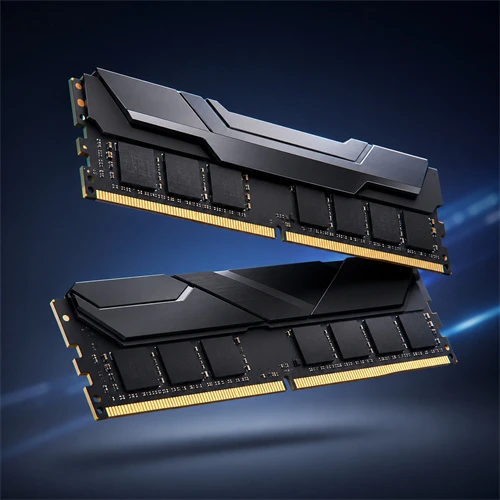
Memory (Random Access Memory, or RAM) is a vital core component in computer hardware architecture, serving as a high-speed data bridge between the Central Processing Unit (CPU) and long-term storage devices (SSD/HDD). During computer operation, all instructions and data processed by the CPU must first be loaded into RAM. Its performance and capacity directly determine system responsiveness, multitasking capabilities, and the efficiency of complex software.
Core Operating Principle of RAM
RAM is called "random access" because the CPU can access data at any given address on the memory chips with equal speed, without waiting for a mechanical hard drive platter to spin or a drive head to seek.
Modern RAM is primarily built on Dynamic Random Access Memory (DRAM) technology. Its fundamental storage unit consists of a single transistor and a tiny capacitor:
Capacitor Charge State: A charged capacitor represents a binary 1, while a discharged state represents a binary 0.
Charge Decay and Refreshing: Because micro-capacitors naturally leak charge over time, the DRAM controller must continuously replenish their charge at millisecond intervals (the refresh operation)—hence the term "Dynamic."
Data Volatility: RAM is a volatile storage medium. Once power is cut, the electrical charge dissipates rapidly, wiping all saved data.
Key Performance Metrics
To evaluate the performance and suitability of a RAM module, four key parameters are considered:
| Performance Metric | Description | Impact on User Experience |
| Capacity | The total amount of data RAM can temporarily store (commonly 8GB, 16GB, 32GB, 64GB, etc.). | Determines how many applications or large game/project files can be open simultaneously. Insufficient capacity forces the OS to use virtual memory (hard drive), causing lag. |
| Frequency / Transfer Rate | The speed of data transfers per second, usually measured in MT/s or MHz. | Determines data throughput. Higher frequencies mean faster data exchange between the CPU and memory. |
| Timing / Latency | The clock cycle delay in responding to CPU commands (e.g., CL30-38-38-96). | CL (CAS Latency) represents column address strobe latency; lower values mean faster response times. High frequency paired with low latency yields optimal performance. |
| Operating Voltage | The voltage required to power the memory (e.g., 1.2V for DDR4, 1.1V for DDR5). | Lower voltage reduces power consumption and heat generation; overclocking usually requires slightly increased voltage for stability. |
Channel Architecture: Single, Dual, and Multi-Channel
The data transfer paths between the memory controller and RAM modules are called "channels."
Single-Channel: Features a 64-bit bus width, transferring data sequentially or alternately through a single channel.
Dual-Channel: Placing two identical memory modules into designated separate channels on the motherboard doubles the total bus width to 128-bit, effectively doubling theoretical bandwidth.
Practical Impact: For integrated GPU users, the extra bandwidth boosts graphics performance significantly (often by 30%–50%). For discrete GPU gamers and productivity professionals, dual-channel setup smooths out frame rate stutter (improving 1% low frames) and speeds up decompression and rendering workloads.
Generational Shift: DDR4 vs. DDR5
As CPU processing power has advanced, memory standards have evolved accordingly. The market is currently undergoing a full transition from DDR4 to DDR5:
DDR4 Standard: Native speeds up to 3200 MT/s | 1.2V operating voltage | Power management handled by the motherboard
DDR5 Standard: Starting speeds at 4800 MT/s (up to 8000+ MT/s) | 1.1V operating voltage | Power management integrated directly on the RAM module (PMIC)
Sub-channel Architecture: DDR5 splits a single module into two independent 32-bit sub-channels (40-bit including ECC), improving the memory controller's parallel processing efficiency.
On-Module PMIC: DDR5 moves the Power Management IC (PMIC) directly onto the RAM PCB, reducing motherboard power delivery complexity while improving signal clarity and overclocking potential.
On-Die ECC: DDR5 incorporates error correction on the chip itself, automatically correcting bit flips caused by minute charge fluctuations to significantly improve stability with high-density memory chips.
Buying and Configuration Recommendations
Depending on your use case, memory configuration strategies vary:
Daily Office & Light Entertainment: 16GB (8GB×2) DDR4 3200MHz or DDR5 4800MHz is sufficient for web browsing, document editing, and light multitasking.
Mainstream Gaming: 32GB (16GB×2) kits are recommended. DDR5 6000MHz (CL30/CL32 latency) is currently the sweet spot for price-to-performance, delivering smooth frame rates in demanding modern AAA titles.
Professional Workstations (Video Editing / 3D Rendering / VMs): 64GB (32GB×2) or 128GB high-capacity setups are ideal. Prioritize raw capacity first, then pursue higher memory frequencies.
Installation Tips:
When installing two sticks on a four-slot motherboard, prioritize slots 2 and 4 (labeled A2 and B2 counting away from the CPU) to match motherboard trace routing (Daisy Chain topology).
After installing new RAM, enter the BIOS to enable XMP (Intel) or EXPO (AMD) profiles; otherwise, the memory will default to running at lower baseline stock frequencies.